How to open a BPMN Diagram online?
This short tutorial shows how to open a Business Process Model and Notation (BPMN) 2.0 Diagram using the Kie Sandbox online tool.
The Kie Sandbox is an online tool which allows you to design business process and decision diagrams. You can also import/export existing diagrams from/into it. Here we go!
The KieSandBox is available at this address: https://sandbox.kie.org/#/
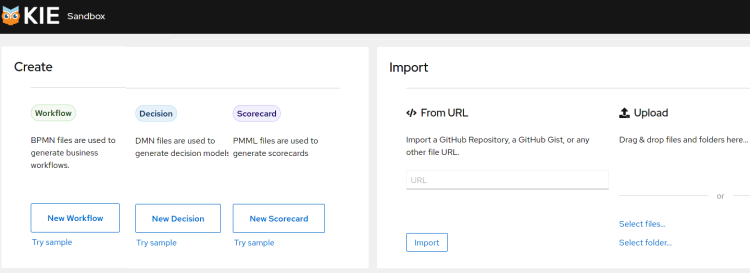
Firstly, as you can see from the Home page, you can Create a set of resources such as:
- BPMN workflows
- Decision Models
- PMML (Predictive Models)
In this article we will focus on managing BPMN Files.
Opening an existing BPMN Diagram
To open one existing BPMN diagram you can either use the Import From URL (for example if it’s in a GitHub repository) or Upload it from your PC.
As an example, let’s open the following BPMN Diagram: https://raw.githubusercontent.com/kiegroup/jbpm/main/jbpm-examples/src/main/resources/evaluation/Evaluation.bpmn
Choose Import From URL and enter the above URL.
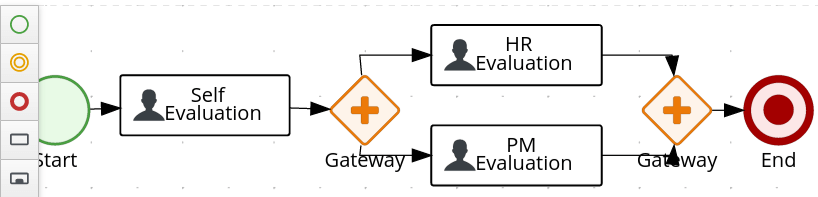
As you can see, we have imported the example Evaluation Diagram into the Kie Sandbox and we can edit it online.
Opening a BPMN Diagram directly from GitHub
If you are running Chrome, it is possible to install the following extension which allows you to view your BPMN diagram directly from GitHub: https://chrome.google.com/webstore/detail/bpmn-dmn-test-scenario-ed/mgkfehibfkdpjkfjbikpchpcfimepckf
Next, install the Chrome plugin and open any BPMN file available on GitHub. For example, here is the Evaluation Diagram as you can see it from GitHub:
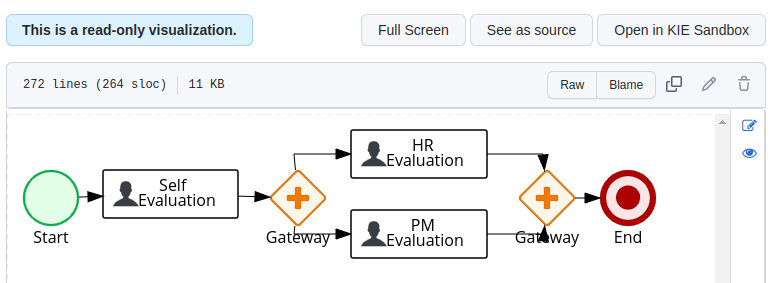
The visualization is read-only however you can click on the “Open in Kie Sandbox” button to modify it with the online editor.
How to Test a BPMN Diagram
In order to test your BPMN Diagram you need a toolkit for running Business Processes such as jBPM.
As an example, you could create a JUnit test which starts jBPM in embedded mode and starts your BPMN Process. Alternatively, you can open the jBPM UI (called Business Central), import your Process and test it from there.
In order to guide you through the above scenarios, we have several resources available here:
Here is the list of recommended tutorials:
- jBPM 7 tutorial – getting started with the opensource BPM
- Getting started with jBPM Business Central
Recommended Articles
Install Kogito BPMN Plugin for Chrome Easily and Directly Edit BPMN Files from GitHub
Learn how to install the Kogito BPMN plugin for Chrome and edit BPMN files directly from a Github repository with this step-by-step guide.
Mastering BPMN 2.0: A Comprehensive Guide for Enterprise Java and Cloud-Native Developers
Learn the essential features of BPMN 2.0, a public standard by OMG. #BPMN #Java #CloudNative #EnterpriseJava
Deploy Activiti BPMN Platform on JBoss AS 7 with MySQL Database - Tutorial
Learn how to install, configure, and deploy Activiti BPMN platform on JBoss AS 7 using MySQL database. Includes step-by-step guide for beginners.
Getting Started with jBPM Business Central on WildFly 31
Learn how to install jBPM Business Central and Kie Execution Server on WildFly for a full-featured environment. Design, deploy, and manage your Kie assets with the Drools Workbench!