How to create a JSF application with Eclipse
Eclipse is the most used software development environment. Lots of specific plugins are available for JBoss products, however also with the minimal Eclipse Enterprise set you can easily build Web applications which uses JSF as user interface.
How to enable JSF support in Eclipse
Firstly, you need a plugin which enhances your Web development. For this purpose, install from the Eclipse Market Place the Eclipse Enterprise Java and Web Developer Tools:
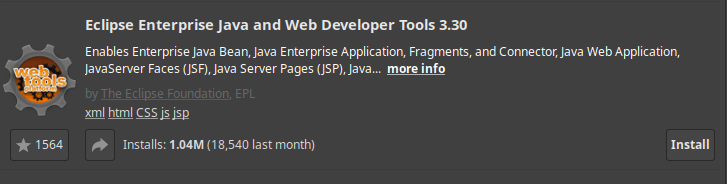
Restart Eclipse after completing the installation.
Then, to enable JSF support you need to add JSF Facets. A Facet is an Eclipse Framework that facilitates some specific functionalities in Eclipse such as JPA or JSF. In our case, you need to enable the JavaServer Faces Facet, which in turn requires the Dynamic Web Module Facet:
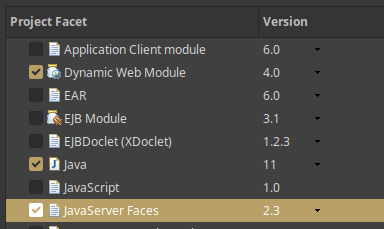
JSF Capabilities available in Eclipse
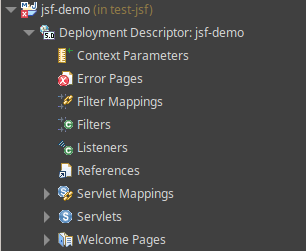
Firstly, when your project includes Dynamic Web Module Facet, you will be able to manage all standard Servlet configuration (Context Parameters, Error Pages, Filters, Listeners etc.) directly from the Eclipse UI:
Another valuable addition of the JSF facet is the faces-config.xml editor. When opening the JSF configuration file with the Faces Config Editor, you will be able to configure its elements with an intuitive User Interface.
For example, my favourite addition is the Navigation Rule which lets you define the navigation flow of your JSF pages:
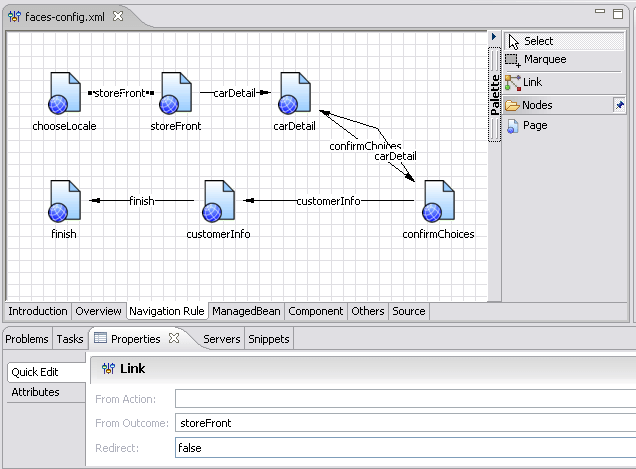
Besides, you can also define your Managed Beans and, within the Others Tab, several useful components such as Converters, Validators, Handlers, Phase Listeners and more.
Conclusion
This tutorial showed how to configure Eclipse to use JSF Facets to accelerate the development of Web applications. To learn more about JSF, we recommend checking this article: Getting started with JSF 4.0 on WildFly 27
Recommended Articles
Eclipse Tutorial: Integrate WildFly 24+ with Eclipse Using JBoss Tools
Learn how to integrate WildFly 24+ with Eclipse using JBoss Tools for seamless application server management.
Mastering Eclipse with M2Eclipse: A Comprehensive Guide to Java Development
Enhance your Java development workflow with Eclipse and M2Eclipse, a powerful plugin that integrates Maven seamlessly. Learn how to create a Maven project in Eclipse for efficient dependency management and build automation.
15 Eclipse Tips and Tricks to Boost Your Java Development Productivity
Maximize your productivity with these 15 Eclipse tips for efficient coding, navigation, and console management. #Eclipse #JavaIDE #CloudNativeDev
Create Java Application Using Hibernate ORM, Eclipse, and MySQL Database Tutorial
Learn how to set up and code a Java application using Hibernate ORM, Eclipse, and MySQL in this comprehensive tutorial. #Hibernate #JavaORM #Eclipse #MySQL