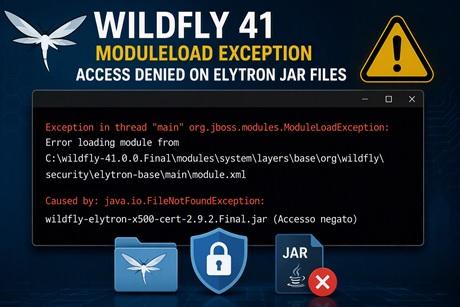
How to Fix WildFly 41 ModuleLoadException: Access Denied on Elytron JAR Files
A common startup issue on Windows systems can prevent WildFly 41 from booting correctly. The server stops during module loading with a ModuleLoadException pointing to one of the Elytron modules.
A typical error message looks like the following:
Exception in thread "main" org.jboss.modules.ModuleLoadException:
Error loading module from
C:\wildfly-41.0.0.Final\modules\system\layers\base\org\wildfly\security\elytron-base\main\module.xml

Caused by: java.io.FileNotFoundException:
wildfly-elytron-x500-cert-2.9.2.Final.jar (Accesso negato)
Symptoms
- WildFly 41 does not start.
- The failure happens very early during boot.
- The stack trace points to an Elytron module.
- The affected JAR file appears to exist in the filesystem.
- The root cause contains
Accesso negatoorAccess denied.
Understanding the Root Cause
At first glance, the exception may suggest that the JAR file is missing:
java.io.FileNotFoundException:
wildfly-elytron-x500-cert-2.9.2.Final.jar
However, the crucial part is:
(Accesso negato)
This means that the file was located successfully, but the JVM could not open it. During startup, WildFly reads every module JAR through the JBoss Modules framework. If Windows blocks access to the file, module loading fails and the server terminates immediately.
In our case, we also noticed that ESET LiveGuard was triggered while WildFly was starting. This is an important clue because endpoint protection products can temporarily lock JAR files while inspecting them, causing WildFly startup to fail.
Common Causes
1. ZIP Extraction Problems
Verify that the file actually exists:
dir C:\wildfly-41.0.0.Final\modules\system\layers\base\org\wildfly\security\elytron-base\main
2. Windows Security Blocking Downloaded Files
Check:
Properties -> General -> Unblock
3. Antivirus or Endpoint Protection
Consider excluding:
C:\wildfly-41.0.0.Final
from real-time scanning.
4. Incorrect NTFS Permissions
icacls C:\wildfly-41.0.0.Final
If needed:
icacls C:\wildfly-41.0.0.Final /grant Users:(RX) /T
5. Running Without Administrative Privileges
In our case, the issue was resolved by starting Windows PowerShell as Administrator before launching WildFly.
cd C:\wildfly-41.0.0.Final\bin
.\standalone.bat
6. Installation Under a Restricted Directory
Avoid:
C:\Program Files
C:\Program Files (x86)
Prefer:
C:\wildfly-41.0.0.Final
Verification
jar tf wildfly-elytron-x500-cert-2.9.2.Final.jar
Start WildFly:
bin\standalone.bat
Successful startup:
WFLYSRV0025: WildFly Full started
Additional Troubleshooting
- Delete the installation directory.
- Download a fresh WildFly 41 distribution.
- Verify the archive checksum.
- Extract using 7-Zip.
- Run PowerShell as Administrator.
- Temporarily disable endpoint protection for testing.
- Check ESET LiveGuard logs.
Conclusion
When WildFly reports a ModuleLoadException together with a FileNotFoundException containing "Access denied", the JAR file is usually present but inaccessible.
In our case, the solution was simply launching Windows PowerShell as Administrator before starting WildFly 41. Combined with ESET LiveGuard activity during startup, this strongly suggested a permissions or security interception issue rather than a missing module.
Recommended Articles
PicketBox Security Framework Overview and Migration to Elytron - WildFly
Learn about PicketBox security framework, its deprecation in newer WildFly versions, and how to migrate to the recommended Elytron. #WildFly #JavaSecurity #Elytron
Mastering Common Elytron Commands in Modern WildFly Releases
Discover essential Elytron commands for modern WildFly, including Credential Stores, Key Stores, Trust Stores, SSL/TLS, and more. #WildFly #JavaSecurity #Elytron
Secure Your Datasource Passwords in WildFly Using Elytron Credential Stores
Learn how to secure your datasource passwords in WildFly with Elytron credential stores and JCEKS keystore files. #WildFly #Java #Security #Middleware
Set Up WildFly Elytron LDAP Realm Tutorial
Learn how to set up an LDAP realm using WildFly Elytron security subsystem. Includes Docker setup and user authentication.