Ansible CheatSheet for DevOps
Welcome to the Ansible Cheatsheet which contains a list of the most common commands and scripts that you can use to get started quickly with Ansible, Ansible Playbooks and Ansible Roles.
Note: if you are new to Ansible we recommend checking this article: Ansible Playbook Example for beginners
Ansible CheatSheet
Install & SSH set up
sudo dnf install ansible

ssh-keygen

ssh-copy-id USER_NAME@HOST_NAME
Ansible Inventory File
# Localhost
[localhost]
127.0.0.1

# Matches from server01 to server20
server[01:20].example.com

# Group named 'webservers' with two servers
[webservers]
webserver1.example.com
webserver2.example.com

# Nested group  'backend' under the 'webservers' group
[webservers:backend]
dbserver.example.com
Execute command
ansible <host-pattern> -m shell -a "<command>"Browse Inventory
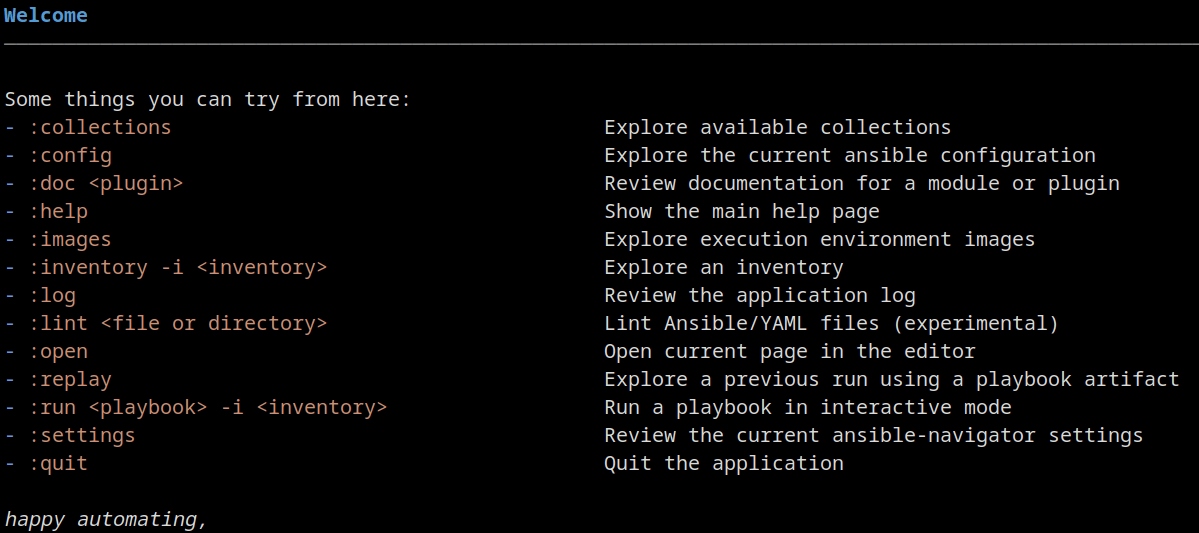
ansible-navigator inventorySample ansible.cfg
[defaults]
inventory = ./inventory
remote_user = someuser
ask_pass = false
[privilege_escalation]
become = true
become_method = sudo
become_user = root
become_ask_pass = false
Run Playbook
ansible-navigator run -m stdout ping-all.ymlPlaybook Dry run
ansible-navigator run -m stdout webserver.yml --checkPass variables to a Playbook
ansible-navigator run main.yml -e "package=jboss"Encrypt file
ansible-vault create secret.ymlView Encrypted file
ansible-vault view secret1.ymlCheck Service Started
ansible <host-pattern> -m service -a "name=<service_name> state=started"Playbook Structure
---
- name: Playbook Name
  hosts: <host-pattern>
  become: <true/false>
  tasks:
    - name: Task Name
      <module>: <arguments>
PlayBook Variables
---
- name: Playbook with Variable
  hosts: localhost
  vars:
    my_variable: "Hello, world!"

  tasks:
    - name: Print Playbook Variable
      debug:
        msg: "{{ my_variable }}"
Capture output
---
- name: Capture output
  hosts: all
  tasks:
    - name: Install the package
      ansible.builtin.dnf:
        name: httpd
        state: installed
      register: install_result

    - debug:
        var: install_result
Conditional execution
---
- name: Conditional Execution
  hosts: all
  tasks:
    - name: Ensure a directory exists
      file:
        path: /path/to/directory
        state: directory
      when: ansible_os_family == "RedHat"
Loop execution
---
- name: Playbook with Loop
  hosts: all
  vars:
    packages_to_install:
      - vim
      - git
      - curl
  tasks:
    - name: Install required packages
      yum:
        name: "{{ item }}"
        state: present
      loop: "{{ packages_to_install }}"
Handler
---
- name: Playbook with Handler
  hosts: all
  tasks:
    - name: Ensure a file exists
      file:
        path: /path/to/file
        state: touch
      notify: restart service

  handlers:
    - name: restart service
      service:
        name: myservice
        state: restarted
Init a Role
ansible-galaxy init my_new_roleUse Role
---
- name: Playbook with Role
  hosts: all
  roles:
    - webserver
Role from Requirements
ansible-galaxy role install -r roles/requirements.yml -p rolesList Roles
ansible-galaxy listSearch Roles
ansible-galaxy search 'wildfly'Info Role
ansible-galaxy-info 'role'Jinja2 Template
---
- name: Playbook with Jinja2 Template
  hosts: all
  tasks:
    - name: Render Jinja2 Template
      template:
        src: path/to/my_template.j2
        dest: /path/to/output/file
      vars:
        variable_name: value
Loop
{% for item in my_list %}
Item: {{ item }}
{% endfor %}
Conditionals
{% if ansible_os_family == 'RedHat' %}
RedHat specific tasks
{% endif %}
Use Facts
Ansible OS: {{ ansible_facts.os_family }}Variables
My variable value: {{ my_variable }}Happy automating with Ansible !
Conclusion
With this Ansible Cheatsheet, you now have access to a concise and well-structured guide that covers the essential commands, syntax, and functionalities of Ansible. Whether you are a sysadmin, a developer, or simply curious about this powerful Ansible Automation tool, this Ansible Cheatsheet will empower you to streamline your scripting workflow, automate tasks, and boost productivity.
Recommended Articles
Provision and Update WildFly 32 with Ansible Playbooks: A Comprehensive Guide
Learn how to provision and update a WildFly 32 application server using Ansible playbooks. #Ansible #WildFly32 #DevOps #ConfigurationManagement
Mastering Ansible Ad Hoc Commands: A Comprehensive Tutorial
Learn how to use ad hoc commands in Ansible for efficient infrastructure management and automation. #Ansible #Automation #CloudNative
Skip Sudo Password for Ansible Playbooks Using Variable and File Methods
Learn how to securely skip sudo passwords when running Ansible playbooks with variable or file methods.
Create Basic Ansible Playbook to Write Message to Remote Server Text File - Java and Cloud-Native Tutorial
Learn how to create a basic Ansible playbook for writing a custom message to a text file on remote servers. #Ansible #Java #CloudNative