How to configure Keycloak Log Level
In this brief tutorial, we will explore how to configure the log level for a Keycloak distribution powered by Quarkus. We’ll walk through the process of applying this change persistently or as a startup option, providing administrators with flexibility in managing logging settings.
The latest Keycloak distribution runs on top of Quarkus Runtime. If you are new to this topic, we recommend checking this article: Getting started with Keycloak powered by Quarkus
In terms of configuration, by default, Keycloak uses the keycloak.conf file which is available in the conf folder. Here is a tree view of a Keycloak installation:
.
├── bin
│   ├── bin
│   ├── client
│   ├── federation-sssd-setup.sh
│   ├── kcadm.bat
│   ├── kcadm.sh
│   ├── kc.bat
│   ├── kcreg.bat
│   ├── kcreg.sh
│   └── kc.sh
├── conf
│   ├── cache-ispn.xml
│   ├── keycloak.conf
│   └── truststores
├── data
│   └── h2
├── lib
│   ├── app
│   ├── lib
│   ├── quarkus
│   └── quarkus-run.jar
├── LICENSE.txt
├── providers
│   ├── event-listener-sysout.jar
├── README.md
├── themes
└── version.txt
Therefore, in order to change the default Log Level of Keycloak, you can add the log-level property in the keycloak.conf. For example, to set to TRACE the verbosity of org.keycloak packages, you can add the following property:
log-level=org.keycloak:TRACEThen, verify with the show-config command that the log-level is set to TRACE:
./kc.sh show-config | grep TRACE
	kc.log-level =  org.keycloak:TRACE (PropertiesConfigSource[source=file:/home/jboss/keycloak-24.0.1/bin/../conf/keycloak.conf])
By changing the configuration file, the log level change will persist across restarts. On the other hand, to provide the log level without modifying the configuration file you can also add the --log-level parameter at start-up. For example:
./kc.sh start-dev --log-level=org.keycloak:TRACEYou should then see a verbose output from the server:
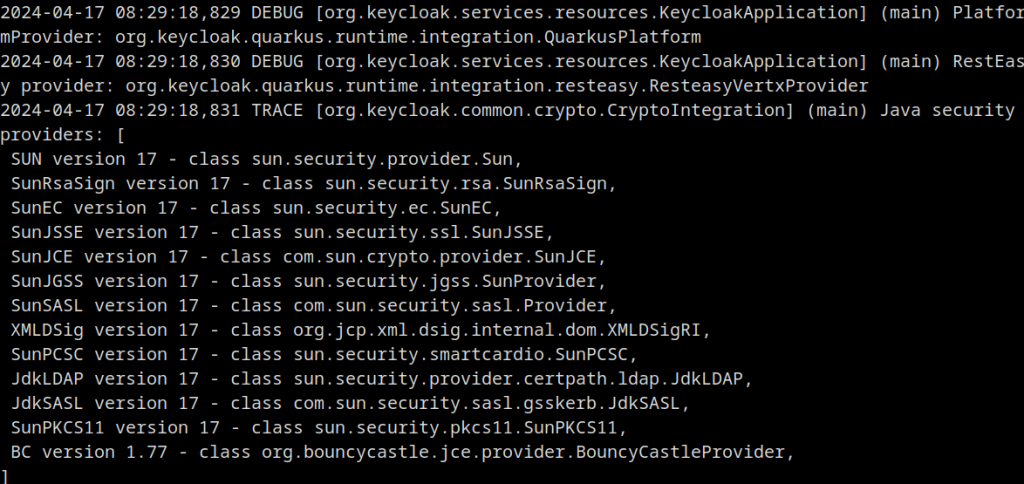
Finally, it is worth mentioning that, in order to set the log level with Keycloak Operator, you have to apply the following additional option to your Keycloak Custom Resource:
spec:
  additionalOptions:
    - name: log-level
      value: 'INFO:org.keycloak:TRACE'
Conclusion
By following the steps outlined in this article, you will be able to change the current log level of Keycloak. Changing the log level is crucial to identify potential issues, and optimize the overall security and stability of their Keycloak deployments.
Recommended Articles
Keycloak Powered by Quarkus: Best Practices for Installation and Configuration
Learn how to install, start, and configure Keycloak powered by Quarkus. Explore best practices for secure microservice architecture.
Introduction to Keycloak (2026)
Introduction to Keycloak (2026): install and configure Keycloak, create your first Realm, Role, User and Client, and secure a WildFly application with OIDC — updated for Keycloak 26.7 and current WildFly releases.
How to Dump Incoming HTTP Requests in Keycloak Using Quarkus
Learn how to enable HTTP request dumping in Keycloak using Quarkus. Configure access logs and environment properties for real-time monitoring.
Add New User to Keycloak Using Command Line Interface (CLI) and Quarkus
Learn how to add a new user in Keycloak using CLI for both legacy and Quarkus distributions. Includes step-by-step instructions.